Drip campaign: what it is, email drip campaign examples, and drip vs nurture
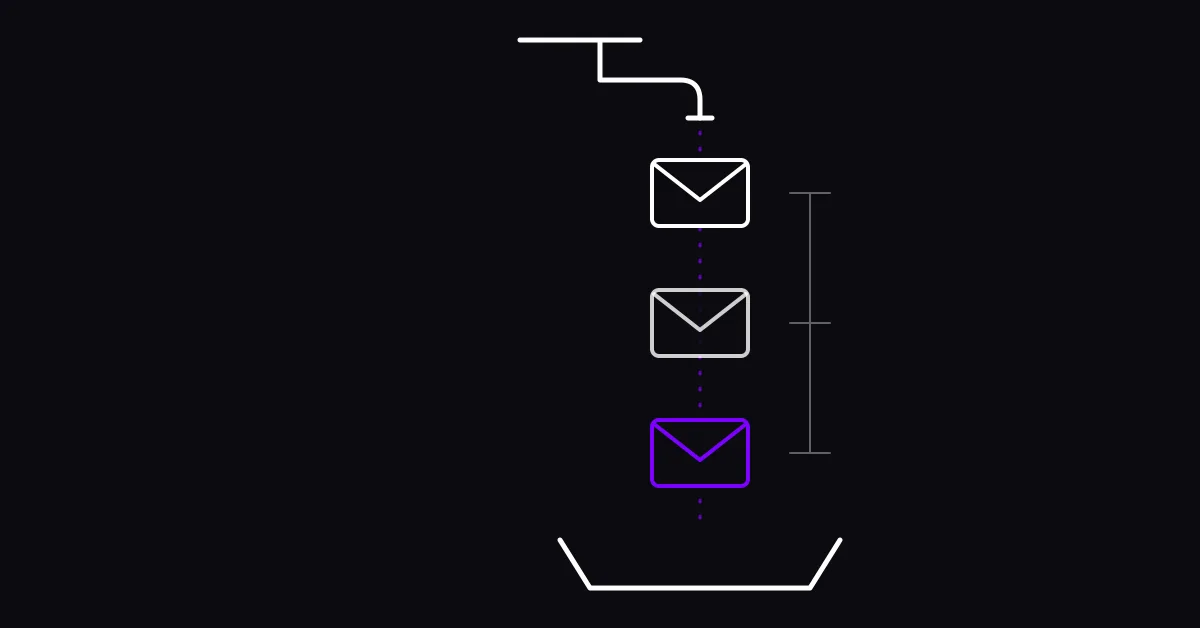
A drip campaign is a series of emails sent automatically on a schedule after someone does something: signs up, starts a trial or leaves a checkout. Each person starts at their own moment and gets the same messages in the same order, spaced by days, until the series ends or they do what it was asking.
The name comes from drip irrigation: a little, regularly, instead of everything at once. Drip marketing is how most small teams first automate their email, because a drip needs no real-time data, only a starting moment and a good set of messages. This post gives drip campaign examples with timings, how many emails to send and how far apart, how drip differs from nurture, and how to stop the series once it has done its job.
What is a drip campaign?
A drip campaign is a pre-written series of messages that each person receives on their own timeline. It begins with a trigger, something the person did, and continues with emails separated by waits: one today, one in two days, one next week. Everyone gets the same messages, but nobody gets them on the same date as anyone else, because everyone started at a different moment.
That is what separates it from a campaign sent to a list. A newsletter reaches all your subscribers on Tuesday morning. An email drip campaign reaches each new subscriber on the day they join, then again two days after their own start, wherever that falls. It is one kind of email automation, and the simplest one to build.
How does an email drip campaign work?
Under the name, every drip is the same four parts:
- A trigger. The moment that starts the series for one person: subscribing to a list, starting a trial, placing an order, or a date such as a renewal coming up.
- Emails. Each one written once, as a template, and sent to every person who reaches that point.
- Waits between them. The gaps that make it a drip. In Rasket one wait lasts up to 30 days; for a longer gap, put two waits in a row.
- An exit. The thing that ends the series early for one person, usually the action the series was asking for.
Because each person runs separately, a drip takes care of people who sign up on different days without any extra work from you. Someone who joined yesterday gets email two tomorrow; someone who joined today gets it the day after.
What are some drip campaign examples?
Five drip campaign examples, with timings that work as a starting point. Adjust the gaps after you have seen how people respond.
1. Welcome series
| When | |
|---|---|
| On sign-up | Welcome, and what they will get from you |
| Day 2 | Your most useful page or product, and why |
| Day 5 | A story or proof from a customer |
| Day 9 | A clear next step, such as a first order or a reply |
The trigger is a new subscriber. The first email goes at once, because that is when the person is paying attention. The welcome email guide covers what goes in it.
2. Trial onboarding
| When | |
|---|---|
| Trial starts | The one thing to do first |
| Day 1 | How to finish setup, with a link straight to it |
| Day 4 | A feature most people miss |
| Three days before the trial ends | What happens next and how to keep going |
The trigger is an event your product sends when a trial starts. The exit is the event it sends when the person pays, so a customer stops getting trial emails the moment they become one.
3. Abandoned checkout
| When | |
|---|---|
| 1 hour after the checkout started | A reminder with a link back to the checkout |
| About a day later | A second reminder, if it is still open |
| Two days after that | A last reminder |
These are the timings of Rasket’s ready-made abandoned checkout flow. It checks the checkout is still open before each email, and it stops when the shopper places the order.
4. Post-purchase
Triggered when an order is fulfilled: a thank-you with care instructions or tips three days later, then a request for a review a week after that, when the product has had time to be used. Asking for a review on the day it ships asks someone to judge a parcel they have not opened.
5. Renewal reminder
Triggered by a date. Store each customer’s renewal date on their contact, and a date trigger starts the run up to 30 days before it: a first reminder fourteen days out, then a wait and a second reminder three days before. The trigger repeats every year, or fires once for a date that does not recur.
How many emails should a drip campaign have, and how far apart?
There is no number that suits every list, but some patterns hold. Three to five emails is enough for a first drip. Each one should have one job, and if you cannot say what the fifth one is for, leave it out.
Put the first email at the moment of the trigger, or within the hour. Space the next ones a day or two apart while the person is new, then widen the gaps to several days. A trial drip has a natural end date, so plan the last email around it. A store drip should end sooner rather than later: three reminders about one checkout are plenty.
Measure clicks, not opens
Many mail apps now load images on the person’s behalf, which records an open whether or not anyone read the email. Judge a drip by clicks and by the action it asks for, such as orders or paid conversions, not by its open rate.
Drip vs nurture: what is the difference?
Drip vs nurture is mostly a question of how much the sequence listens. A drip sends the same emails in the same order to everyone who starts it. A nurture sequence changes what it sends based on what the person does or who they are: one path for people who used the product, another for people who did not.
| Drip campaign | Nurture sequence | |
|---|---|---|
| Path | One fixed path | Several paths, chosen per person |
| Based on | Time since the trigger | Time, plus what the person did or who they are |
| Built with | Emails and waits | Emails, waits and conditions |
| Best for | Welcome series, reminders, short courses | Longer sales cycles, onboarding |
| Effort | An afternoon | More copy, more testing |
In practice the line is blurry, and most teams start with a drip and add a branch where it clearly helps. In Rasket a branch is a Condition step: a rule about the contact, such as a property your product set when they finished setup, with an If true and an If false path.
How do you stop a drip campaign when someone converts?
Two ways, and most good drips use the first. The first is an exit. On the trigger, tick the events that mean the person did what the drip was asking, under Exit when. In Rasket those are your own custom events, such as trial.converted, or store events, such as an order being placed. When one happens for the contact, their run ends before the next step. Built-in events, such as a contact being updated, cannot end a run.
The second is a condition before each email: check a contact property, such as a plan field your product keeps up to date, and only send if it still applies. It costs a step per email, but it also works when the change is not an event.
Re-entry deserves a thought too. A custom event sent twice starts two runs, so a drip can reach the same person twice if your product fires its trigger twice. Send the event once, at the moment it happens.
Can a drip campaign include text messages?
Yes, if the person agreed to receive marketing texts. In Rasket a Send SMS step sits in the same workflow as the emails, so a last abandoned checkout reminder can be a short text instead of a third email. A contact with no phone number, without SMS consent, or who replied STOP skips the text, and the run goes on to its next step.
Texts follow stricter rules than email. A marketing text waits for quiet hours to end (8 am to 9 pm in the person’s time zone at the widest; some states set shorter hours), and a person gets at most one marketing text in any 16 hours. Texts go to numbers in the United States and Canada, from an active number your team holds. The texts in automations page lists the step’s fields.
How do you build a drip campaign in Rasket?
A drip is an automation with emails and delays in a row. Under Automations, choose New automation, start blank, and follow these steps:
- Choose the trigger — Declare your product's event under Automations › Events, such as trial.started, or pick a built-in trigger such as a new subscriber to a topic.
- Set the exit — Create the automation with that trigger. If you have declared the event that means they converted, tick it under Exit when on the trigger.
- Add emails and delays — Add a Send email step for each message, each using a published template, with a Delay step before every email after the first.
- Branch where it helps — Before a later email that should depend on the person, add a Condition step on a contact property and connect its If true and If false paths.
- Start, then test — Start the automation, then use Send a test with a contact of your own. For a built-in trigger, test by doing the real thing, such as subscribing a test address.
Every run is then listed with the steps it reached and when, so you can see where each person is in the series. Runs are not billed, and the emails count against your plan like any other email. Automations shows the editor, and the automations reference has the same workflow as one API request.
What are the most common drip marketing mistakes?
- No exit. A “finish your purchase” email after the purchase is the drip mistake people notice.
- Receipts in the drip. Automation emails are marketing, so anyone who unsubscribed would never get them. Send order confirmations from your own code; the order confirmation email guide shows how.
- Too long. A ten-email drip written in one sitting is usually five good emails and five fillers. Cut to the ones with a job.
- All gaps the same. Interest is highest at the start. Front-load the sequence, then space it out.
- Testing on real people. Start the automation, then send a test with a contact of your own and read every email before the first real person enters.
- Writing it and leaving it. Look at the runs after the first week. A step where many people leave or few click is the one to rewrite.
Published Updated 9 min readBy the Rasket team
Written for email marketers, small business owners and startup founders
Frequently asked questions
How long should a drip campaign be?
Three to five emails is a good first drip, sent over one to three weeks. Each email needs one job you can name. Longer drips work for courses and long trials, but every extra email is another chance for someone to unsubscribe, so add length only once the first emails earn clicks.
What is the longest gap I can put between two drip emails?
In Rasket a single Delay step waits up to 30 days, either for a length of time or until a fixed moment. For a longer gap, put two delays in a row. The run holds nothing open while it waits; it simply wakes at the time the delay ends.
Can the same person go through a drip campaign twice?
Yes, and it is worth planning for. A custom event sent twice starts two runs. A date trigger enrols each person once a year, or once per date. A store trigger holds anyone with a run still going, and the abandoned cart and browse abandonment flows also wait seven days before letting someone in again.
What happens if someone unsubscribes in the middle of a drip?
The run carries on, but its emails are skipped for that person, and the run log records each skip. Every email a Rasket automation sends is marketing and carries an unsubscribe link, which is also why order confirmations belong in your own code rather than in a drip.
Can a drip campaign start on a date instead of an action?
Yes. A date trigger reads a date saved on the contact, such as a renewal or a birthday, and starts the run on the day or up to 30 days before or after it, at a time and time zone you choose. Only subscribed contacts enter, and a day that has passed is never caught up.
Do I need a mailing list to run a drip campaign?
No. A drip runs per person from its trigger, so there is no list to send to. People enter when they do the thing that starts it. If you want to email everyone in a segment at once, that is a campaign, which goes once to the whole segment at a time you choose.
Sources
- CAN-SPAM Act: A Compliance Guide for Business — Federal Trade Commission, read 2026-11-20
- RFC 8058: Signaling One-Click Functionality for List Email Headers — IETF, read 2026-11-20
- Messaging Principles and Best Practices — CTIA, read 2026-11-20
- Automations API reference — Rasket, read 2026-11-20
Related
- Automations — Workflows that run per contact: start on a custom event or a segment change, wait, branch, and send. Every run pins a version and is inspectable.
- Email automation: what it is, examples, workflows — Email automation explained: what it is, how a trigger, steps and runs fit together, seven examples, what not to automate, and how to build a workflow.
- How to write a welcome email that gets read — Welcome email best practices: what to write, how to protect the signup form from bots, example emails and sequences, and how to measure without opens.
- Order confirmation email and abandoned cart flows — What an order confirmation email must contain, how to send it exactly once, and how to run abandoned cart emails that only reach subscribers who did not buy.
- Automation — An automation is a workflow that runs for one contact at a time. Something happens in your product, that contact enters at the trigger, and the graph carries…